
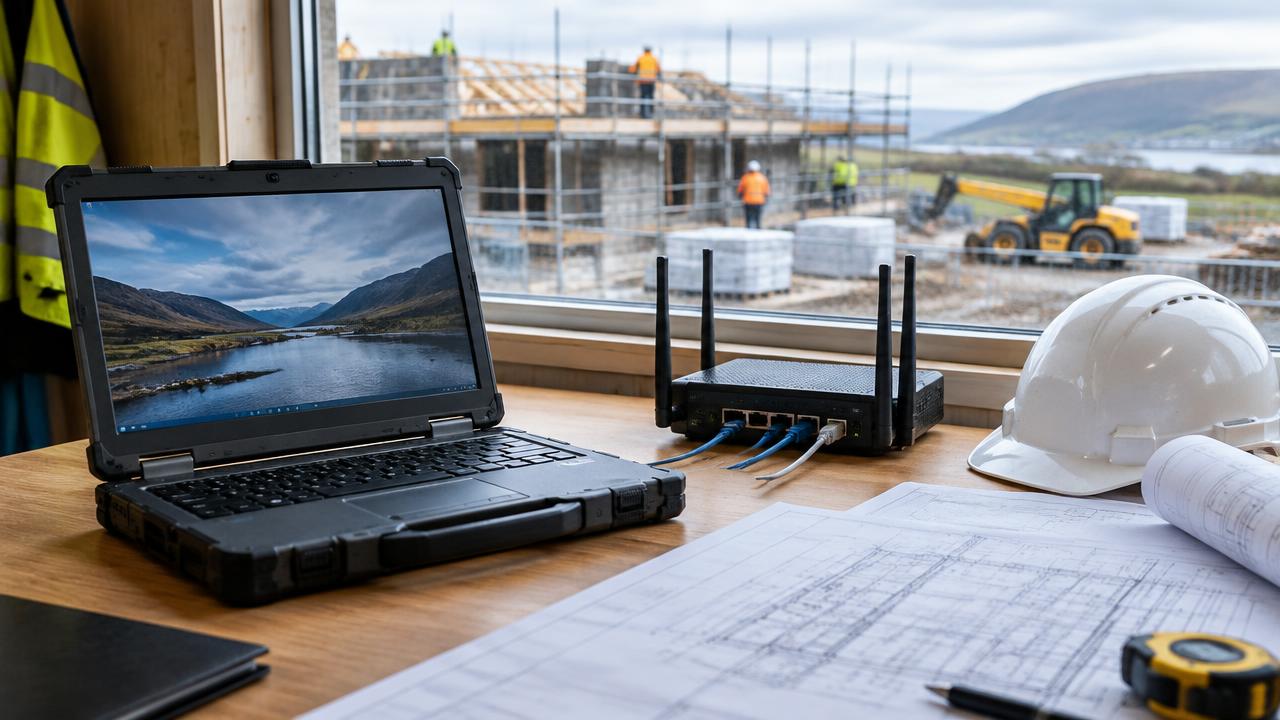
Construction IT: Site Connectivity, Plotters and SharePoint
A plain English guide for Scottish builders and contractors looking to fix site Wi-Fi, manage plotters and organise drawings using SharePoint.
Running a construction business comes with unique working conditions. Your team is rarely in one place. On any given Tuesday, you might have project managers at head office in Dundee, quantity surveyors travelling between Edinburgh and Glasgow, and site managers based in temporary cabins across Fife, Perth or Angus.
Unlike traditional office businesses, building firms must deploy technology into dusty, remote and temporary environments. You need architectural plans printed at large scale on demand. You need site cabins to have stable internet within hours of arriving on location. Crucially, you need everyone working from the latest revision of a drawing rather than an outdated paper printout.
When site technology fails, work grinds to a halt. Subcontractors wait around, deliveries get delayed, and mistakes happen on site. This plain English guide explains how modern IT can solve these daily operational headaches without unnecessary jargon.
1. Getting Reliable Internet into Temporary Site Cabins
One of the biggest frustrations for site managers is connectivity. Moving onto a new development plot often means setting up in a location where fixed-line broadband will not be installed for months.
Without an internet connection, site staff cannot check emails, sign off delivery notes, update health and safety logs, or download updated building models. Tethering to a personal mobile phone rarely provides enough speed or coverage for multiple workers in a metal container.
Modern construction connectivity relies on three straightforward options:
- Commercial 4G and 5G cellular routers: These are heavy-duty units that take a data SIM card and broadcast strong Wi-Fi across the cabin and immediate compound. Unlike domestic mobile dongles, commercial routers use high-gain external antennas mounted to the cabin roof to pull in signals from distant mobile masts.
- Satellite broadband systems: For rural locations across Perthshire, Angus or the Scottish Borders where mobile coverage is poor, low-Earth-orbit satellite links provide high-speed internet almost anywhere with a clear view of the sky.
- Rapid-deployment temporary broadband: In urban areas across Glasgow and Edinburgh, temporary fixed wireless links can often be set up quickly until permanent fibre is installed.
By treating site internet as a managed package, your IT provider can configure the router before it leaves the workshop. When the cabin arrives on site, the team simply plugs it into power, and secure Wi-Fi is instantly live.
2. Managing Large-Format Plotters Without Constant Errors
Construction relies on detailed technical drawings. While digital tablets are common on modern sites, physical paper drawings remain essential for site managers, engineers and visiting trades.
Plotters (large-format printers that handle A1 and A0 paper sizes) are notoriously finicky pieces of equipment. When they misbehave, they waste expensive rolls of paper, drain costly ink cartridges, and delay work.
Common plotter problems usually stem from three basic issues:
### Incorrect printer driver setups A driver is simply the small piece of software that tells your computer how to communicate with the printer. In construction firms, team members often install different, generic printer drivers on their laptops. This causes scaling errors, where an A1 drawing accidentally prints on standard A4, or lines print at the wrong thickness, throwing off site measurements.
### Sending huge files over weak connections High-resolution CAD files and layered PDF drawings are massive files. If a worker in a site cabin tries to send a 200MB drawing directly over a slow connection to an office plotter, the print job frequently stalls and blocks the queue for everyone else.
### Network visibility between site and head office Site staff often need to trigger a batch of prints at the central office in Dundee so they are ready for collection in the morning. Without proper network setup, laptops out on site cannot see office plotters.
A managed IT setup resolves this by standardising print software across all devices and setting up centralised print management. This ensures drawings print at exact scale every time, whether sent from a desk in head office or a laptop in a site vehicle.
3. Organising Drawings and Documents with Microsoft SharePoint
Many Scottish construction firms still rely on old on-premises file servers or chaotic email threads to share drawings. This creates major operational risks:
- Workers save drawings to their local desktop, meaning others cannot see updates.
- Multiple staff edit different versions of a spreadsheet at the same time, creating duplicate files.
- Trades on site build from revision "Rev C" when the architect released revision "Rev E" two days earlier.
Microsoft SharePoint, which comes included with standard Microsoft 365 business licences, solves these problems when structured properly.
### One central location for every project Instead of scattering files across local hard drives and email attachments, each project gets a structured folder system in SharePoint. This system can be accessed securely from an office computer, a site laptop, or a smartphone in the field.
### Automatic version history SharePoint keeps a full, automatic history of every file. If an architect uploads an updated drawing, SharePoint replaces the active view but preserves previous versions in the background. If someone accidentally deletes text or uploads the wrong file, you can restore any earlier version with two clicks.
### Offline file access for remote sites If a site manager needs to visit a basement, trench or rural location with zero mobile reception, SharePoint allows them to mark specific project folders as available offline. They can review drawings and capture notes while disconnected. As soon as the device reconnects to Wi-Fi back in the cabin, the changes synchronise automatically.
### Controlled access for external subcontractors You can grant external structural engineers, architects or quantity surveyors access to a single project folder without giving them access to the rest of your company network. This protects commercial confidentiality while keeping collaboration smooth.
4. Keeping Site Devices Secure and Practical
Laptops, tablets and phones used on building sites face rough conditions and security risks. Devices get dropped, exposed to moisture and dust, or left unattended in site offices overnight.
To keep your company protected and compliant with UK GDPR and Cyber Essentials standards, practical device management is critical:
- Hard drive encryption: If a site laptop is stolen from a vehicle or cabin, encryption guarantees that nobody can read your client data, cost spreadsheets or employee records without the master security key.
- Remote wipe capability: If a tablet goes missing on site, your IT support team can instantly wipe company data from that specific device remotely without touching personal information.
- Ruggedised protective cases: Standard consumer tablets break easily on site. Equipping devices with drop-tested, dust-resistant cases and screen protectors avoids unnecessary hardware replacement costs.
- Multi-factor authentication (MFA): Requiring a quick approval on a mobile phone when logging into email or SharePoint prevents criminals from gaining access using stolen passwords.
The Orange Penguin Take
At Orange Penguin, we believe technology for construction firms must be practical, durable and straightforward. Your site teams do not have the time to troubleshoot network cables or battle with printer queues when concrete is arriving in twenty minutes.
Since 2007, we have worked with businesses across Scotland to design IT systems that fit how construction actually works in the real world. By pairing dependable site connectivity with standard print workflows and clean SharePoint structures, you eliminate common site delays and ensure everyone builds from the right plan.
If you want to review how your site cabins, office plotters and project files are managed, book a free IT health check with our Dundee-based team today. We will review your current systems and give you clear, practical recommendations to keep your projects running smoothly.
Written by Orange Penguin Team
Dundee based IT support, cybersecurity and cloud specialists, looking after ambitious Scottish businesses since 2007.